Building Causly Server: An Open-Source MCP Server for AI-Assisted Software Development
What if your AI agent had hands? Meet Causly Server, an open-source MCP server that connects AI coding agents with development tools to coordinate code changes, GitHub workflows, CI troubleshooting, and deployment—all through a unified interface. Here's the story behind building it, the problems it solves, and the lessons learned along the way.
Building Causly Server: An Open-Source MCP Server for AI-Assisted Software Development
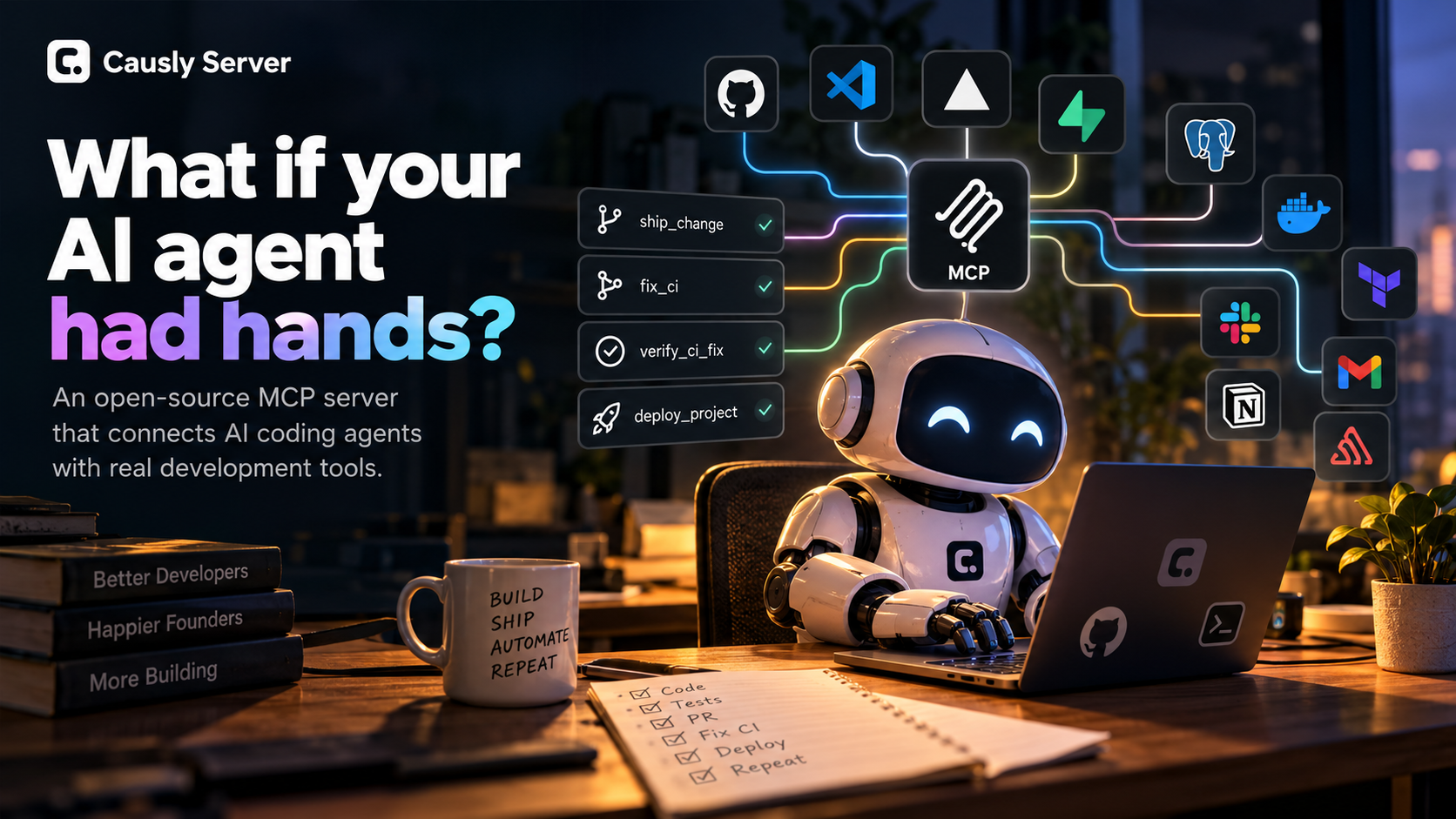
What if your AI agent had hands?
I use AI to build software almost every day. It helps me write code, understand unfamiliar files, debug errors, and think through implementation decisions. But for a long time, there was one frustrating gap between getting an answer from an AI agent and actually getting work done.
The agent could tell me what to do. I still had to do a lot of it myself.
I would ask for a code change, copy the generated code into my editor, run the application, encounter an error, copy that error back into the conversation, and repeat the process. Then came Git, GitHub, deployment, database operations, and everything else involved in shipping software.
Each step was manageable on its own. Together, they created a workflow full of interruptions.
That experience led me to build Causly Server, an open-source MCP server designed to connect AI agents with the tools and workflows involved in software development.
The idea behind it is simple: What if your AI agent had hands?
This is the story of why I built it, how it works, the engineering decisions behind it, and what I learned while turning that idea into a working project.
1. The Problem: AI Could Help Me Code, But I Still Had to Connect Everything
When you build software with an AI coding assistant, writing code is only one part of the job.
You also need to inspect files, understand the project structure, manage Git branches, create commits, open pull requests, investigate CI failures, work with databases, and deploy changes.
These tasks often involve different tools and interfaces.
My workflow could involve switching between around 16 platforms and tools depending on the task. The problem wasn't that these tools were bad. Each served a purpose. The problem was the amount of manual coordination required between them.
A typical interaction looked something like this:
- Ask the AI agent to implement a feature.
- Copy or apply the generated code.
- Run the application or tests.
- Copy error messages back into the conversation.
- Ask the agent to diagnose the problem.
- Repeat the process until the change works.
- Handle Git operations and deployment separately.
I wanted to spend more time reviewing decisions and less time moving information between tools.
There was another challenge, too. Connecting more MCP servers could give an agent access to more capabilities, but it also meant managing more integrations and understanding which server exposed which tools. Depending on the client and configuration, a large tool collection can make discovery and tool selection more complicated.
I started thinking about a different approach.
Instead of treating every development task as a sequence of disconnected interactions, what if an AI agent could use tools to carry out more of the workflow itself?
That became the starting point for Causly Server.
2. Why I Built Causly Server
My goal wasn't to create another code editor or replace GitHub, databases, or deployment platforms.
I wanted to build a practical integration layer between AI agents and the tools developers already use.
That distinction mattered.
Developers shouldn't have to abandon their existing stack to benefit from AI. They need a way for an agent to interact with that stack, perform useful operations, and report what happened.
I chose the Model Context Protocol (MCP) as the foundation.
MCP provides a standardized way for compatible AI applications to discover and call tools exposed by a server. Instead of building a separate custom integration for every AI client, an MCP server can expose capabilities through a common protocol.
Causly Server builds on that idea by bringing together tools for different parts of the software development lifecycle.
The design goals were straightforward:
- One integration layer: Bring related development capabilities together instead of scattering them across numerous individual servers.
- Practical workflows: Expose tools that help complete real tasks, not just answer questions about them.
- Local control: Run the server in your own environment and configure the integrations you need.
- Open source: Let developers inspect the implementation, experiment with it, and contribute.
- Human oversight: Keep important operations subject to explicit confirmation rather than treating every action as automatically safe.
I wanted to make the gap between an AI-generated suggestion and a completed development task smaller.
3. What Is Causly Server?
Causly Server is an open-source MCP server that connects compatible AI clients to development tools, services, and workflow operations.
The current implementation exposes 181 tools across 16 categories, covering capabilities such as:
- Filesystem operations and targeted file editing
- Git and GitHub workflows
- Vercel deployments
- Supabase operations
- PostgreSQL and MySQL
- Docker and Terraform
- Slack, Gmail, and Notion
- Sentry issue management
- Local encrypted secrets management
- Project intelligence and workflow automation
The purpose isn't to make every developer use every integration. It's to provide a unified interface from which an AI agent can use the capabilities relevant to a task.
For example, a developer might ask an agent to modify a feature, inspect the changes, create a branch, run checks, open a pull request, investigate a CI failure, and deploy the finished work.
Those activities involve several underlying systems. Causly Server provides tools that help the agent coordinate those steps.
The server is open source under the MIT license and is designed to run locally or in a self-managed environment.
One important distinction: Causly Hosted, a dedicated hosted runtime direction, is planned development rather than a generally available service. The current project should be evaluated as the local/self-hosted MCP server it is today.
Explore the project: Causly Server on GitHub
4. The Engineering Decision: Build Workflows, Not Just Integrations
Adding integrations is useful, but access to individual tools doesn't automatically produce a good workflow.
Imagine giving an AI agent separate tools to inspect Git status, create a branch, stage changes, commit files, push a branch, and open a pull request.
The agent now has more capabilities. But it still needs to coordinate the right sequence of operations, remember the relevant context, and respond to failures.
I wanted Causly Server to go a step further by exposing higher-level workflow operations.
Four tools illustrate this approach particularly well.
ship_change: From code changes to a pull request
The ship_change workflow is designed to help move a code change through common Git and GitHub steps.
Depending on the project and configuration, it can inspect changes, create a branch, run available project checks such as tests, linting, type checking, and builds, then commit, push, and open a pull request.
Instead of manually coordinating every Git operation, the agent can invoke a workflow that groups these steps together.
This doesn't eliminate the need to review the diff or assess whether the change is correct. It reduces the amount of repetitive coordination around getting that change ready for review.
fix_ci: Investigate a failed CI run
A failed CI run is another common interruption.
The fix_ci tool retrieves relevant failure information and logs from GitHub Actions so the agent can investigate what went wrong.
An important detail: it diagnoses the failure; it doesn't independently write the code fix.
The agent uses the returned information to understand the problem and then makes an appropriate change using its available development tools.
Keeping that distinction clear matters. Fetching evidence, reasoning about a failure, and modifying code are different responsibilities.
verify_ci_fix: Check whether the fix actually worked
After a fix is made, it is easy to assume that the problem is solved once the code looks right.
But the real test is whether the relevant checks pass.
verify_ci_fix helps commit and push the updated changes, then polls the CI run and reports its result.
That gives the agent concrete feedback it can use to decide whether another iteration is necessary.
deploy_project: Verify the deployment
Getting code merged or pushed is not the same as confirming that an application is running correctly.
The deploy_project workflow can check the working tree, run tests and a build, initiate a Vercel deployment, poll its status, and perform an HTTP check against the resulting URL.
There are configuration requirements: for example, the Vercel project must already be linked to Git.
The workflow also doesn't prove that every feature works correctly in production. An HTTP response is useful evidence that a deployment is reachable, not a substitute for comprehensive application testing.
Together, these four tools illustrate the direction behind Causly Server: connect individual capabilities into workflows that help an agent move from a requested change toward a verifiable outcome.
5. How the Workflow Fits Together
Consider a practical scenario: I ask an AI agent to implement a feature in an existing application.
The intended workflow looks like this:
Step 1 — Understand the project. The agent inspects the relevant files and existing implementation.
Step 2 — Implement the change. It edits the necessary files rather than blindly rewriting the entire project.
Step 3 — Run checks and prepare the change. It uses ship_change to coordinate the configured checks and GitHub pull-request workflow.
Step 4 — Investigate failures. If CI fails, fix_ci retrieves the failure information. The agent uses that evidence to investigate and update the code.
Step 5 — Verify the fix. verify_ci_fix helps push the fix and check the resulting CI status.
Step 6 — Deploy and check reachability. Once the change is ready, deploy_project coordinates deployment and an HTTP check.
The process can repeat when a check reveals another problem.
The important part is that the agent is not merely generating a sequence of instructions for me to execute. It can use available tools to perform parts of the workflow and observe the results.
That said, not every task needs the entire sequence. A documentation edit may only require a targeted file change and a commit. A database investigation may never involve deployment.
The objective is to make the appropriate workflow available when it is useful—not to force every task through the same pipeline.
6. Security and Human Oversight
Giving AI agents access to tools that can modify files, repositories, infrastructure, or data introduces a serious question: how should those capabilities be controlled?
I didn't want to treat all operations as equally safe.
Causly Server includes a risk-classification approach with levels such as READ, LOW, MEDIUM, HIGH, and DESTRUCTIVE. Its security wrapper blocks HIGH and DESTRUCTIVE operations unless the tool call includes the required confirm: true input.
The implementation also includes several other safeguards:
- Secret redaction: Sensitive values are redacted from logs and error messages.
- Encrypted local secrets: The secrets manager uses AES-256-GCM encryption.
- Protected system paths: Restrictions help prevent writes to or deletion of protected system locations.
- Command risk classification: Commands are evaluated according to their risk category.
- Activity logging: Structured JSONL logs record activity.
These controls reduce some risks, but they shouldn't be interpreted as a guarantee that every operation is safe. The server still needs appropriate permissions, carefully configured credentials, and sensible use of its tools.
There is also a distinction between server-side enforcement and client-side approval. An MCP client may provide its own permission prompts or allow-list controls. Those are separate from the server's confirmation checks, and their exact behavior depends on the client.
My approach is to keep meaningful control in the hands of the person using the system while making routine operations easier to coordinate.
7. Building and Testing the Project
Causly Server is built with JavaScript ES modules and Node.js. Its implementation uses the official MCP SDK, Zod for schema validation, simple-git for Git operations, database drivers for supported integrations, and Vitest for testing.
One practical lesson from building a project with this many integrations is that testing one successful operation doesn't validate the entire system.
A filesystem tool, a GitHub pull-request workflow, a database operation, and a deployment all have different failure modes and configuration requirements.
The repository's build log documents testing against a disposable private GitHub repository. It records successful checks of filesystem, directory, Git, command, and GitHub tools, including a real pull-request workflow using ship_change. It also records tests of the security confirmation gate.
Write and delete operations against production Vercel and Supabase resources were intentionally not exercised in that test.
That distinction is important: documented test results provide evidence about the tested paths, not proof that every integration works in every environment.
I have primarily tested Causly Server with Anthropic Claude Desktop while using it to build AgreeOps. Other MCP-compatible clients may be suitable, but their behavior has not been verified to the same extent.
The server also has practical setup requirements. Node.js and Git are the basic prerequisites; Docker, database services, Terraform, and external-service credentials are needed only for the integrations that use them.
A few examples of integration-specific limitations:
- Vercel deployment workflows require an appropriately linked project.
- Some Supabase SQL operations can fail with a 403 depending on the permissions of the personal access token.
- Slack message search requires a user token with the appropriate
search:readscope. - Docker image pushes require registry authentication on the host.
These are not reasons to avoid the project. They are part of the reality of connecting AI agents to real systems: credentials, permissions, configuration, and error handling matter as much as the integration itself.
8. What I Learned While Building Causly Server
The biggest lesson so far is that giving an AI agent more tools is not the same as giving it a better workflow.
A large collection of integrations can be useful, but the real value depends on whether an agent can select the appropriate capability, use it correctly, handle failures, and report what happened.
That is why higher-level workflows matter.
A second lesson is that verification deserves its own place in the design. Generating a code change is one thing; running checks, observing CI results, and confirming deployment reachability are different steps. Each provides evidence that helps a developer make a better decision.
Third, security cannot be an afterthought. Tools that can modify repositories, run commands, or interact with external services need risk-aware controls, appropriate credentials, and clear boundaries.
Finally, the project has reinforced the importance of being honest about what has actually been tested. A tool may be implemented without having been exercised against every possible configuration. A successful deployment check does not guarantee application correctness. And a personal workflow is not the same as demonstrated value across a customer base.
Causly Server is still evolving. Its current implementation is a foundation for a broader vision, not a claim that software development can already be fully automated without supervision.
9. What's Next?
The immediate goal is to keep improving the existing server and its real development workflows.
That means refining integrations, improving reliability and error handling, expanding test coverage, and making setup and configuration easier to understand.
Longer term, I am exploring a dedicated hosted runtime so developers can eventually use Causly's capabilities without managing every part of the environment themselves. That direction is still in development; the current open-source server remains the available starting point.
I also want the project to be useful beyond my own workflow. Feedback from developers who try it will help reveal which tools are genuinely valuable, which integrations are difficult to configure, and where the design needs to improve.
Those are questions that implementation alone cannot answer.
Conclusion: Give Your AI Agent a Way to Act
Causly Server started with a frustration I kept encountering while building software: AI could help me think through a task, but too much of the work between a suggestion and a completed change still required manual coordination.
I built it to explore a different approach—connecting AI agents to the tools developers already use and making common development workflows available through MCP.
It brings together 181 tools across 16 categories, with workflow operations for shipping changes, investigating CI failures, verifying fixes, and checking deployments.
It is not a replacement for developer judgment, code review, testing, or security practices. It is an attempt to make an AI-assisted development workflow more connected and less repetitive.
There is still work to do, and I am sharing the project openly because the best way to improve it is to learn from real use.
If you are a developer or indie founder experimenting with AI coding agents, I would love for you to explore it.
What if your AI agent had hands?
- Explore the source code: Causly Server on GitHub
- Try the project: Follow the repository's setup instructions and configure the integrations you need.
- Share feedback: Open an issue or contribute an improvement if you find something useful—or something that needs fixing.
The goal isn't to remove developers from the process. It's to let them spend less time connecting the steps and more time deciding what should be built.
About the project
Causly Server is an open-source MCP server created by Nihal. It connects compatible AI clients with development tools and workflow operations, with a focus on local control, practical automation, and human oversight.